





Simple and lightweight, supporting Markdown, todo.txt, Zim & more!
Current Version: v2.15.1
| Platform | Status | Availability |
|---|---|---|
| Android | ✅ Production | F-Droid, GitHub Releases |
| Desktop (Windows/macOS/Linux) | Build from source | |
| iOS | 🚧 In Development | Coming Q2 2026 |
| Web (PWA) | 🚧 In Development | Coming Q3 2026 |
- Getting Started Guide - Quick start guide for new users
- Format Guides - Complete guides for all 17 supported formats
- FAQ - Frequently asked questions and answers
- API Documentation - Comprehensive KDoc API reference
- Architecture Guide - Kotlin Multiplatform architecture and design
- Contributing Guide - How to contribute code and documentation
- Testing Guide - Testing infrastructure and best practices
- Build System Guide - Gradle configuration and build commands
Yole is a cross-platform text editor with Android as the primary production platform. This project aims to make an editor that is versatile, flexible, and lightweight. Yole utilizes simple markup formats like Markdown and todo.txt for note-taking and list management. It is versatile at working with text; it can also be used for keeping bookmarks, copying to clipboard, fast opening a link from text and lots more. Created files are interoperable with any other plaintext software on any platform. Yole is openly developed free software that accepts community contributions.
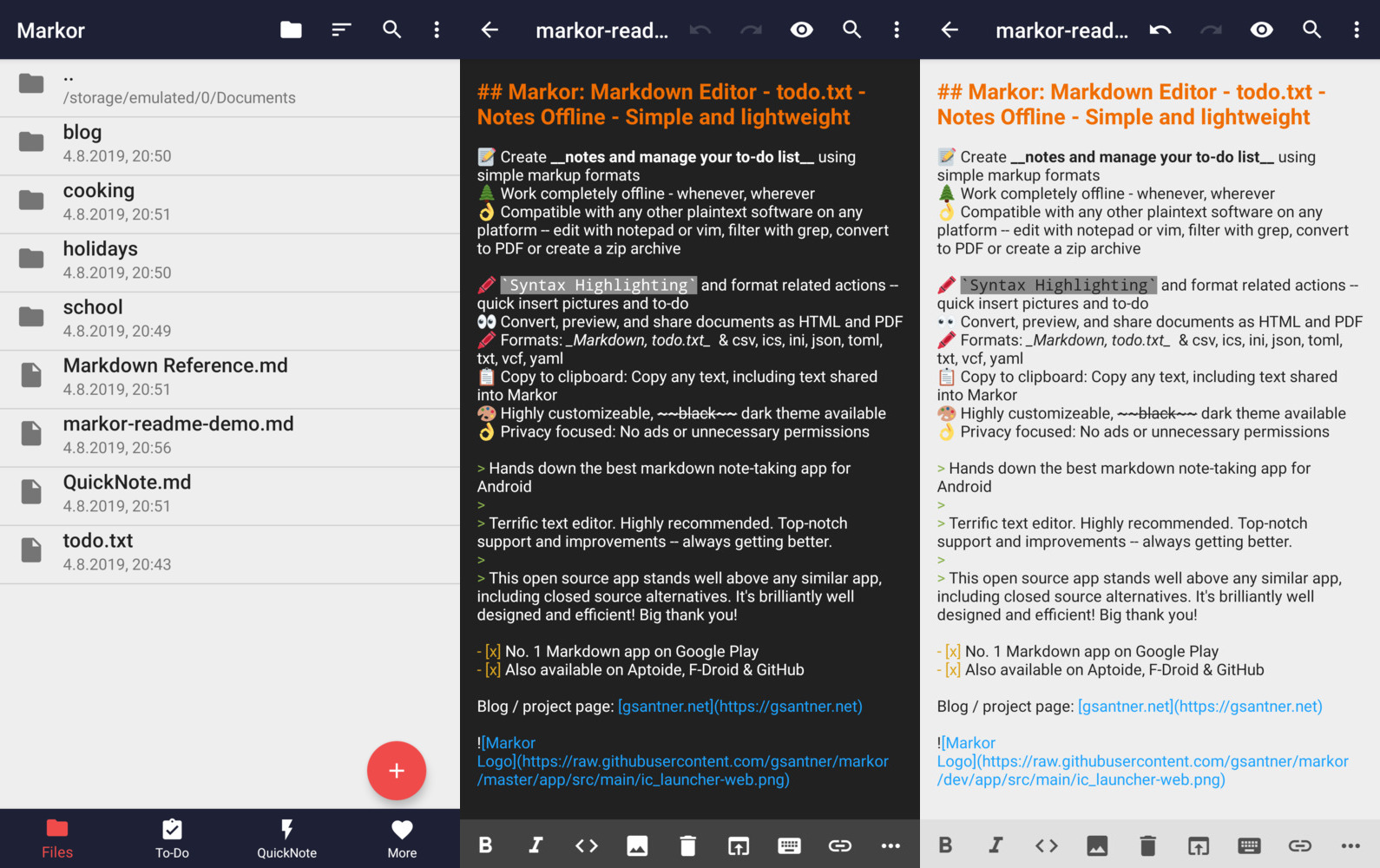
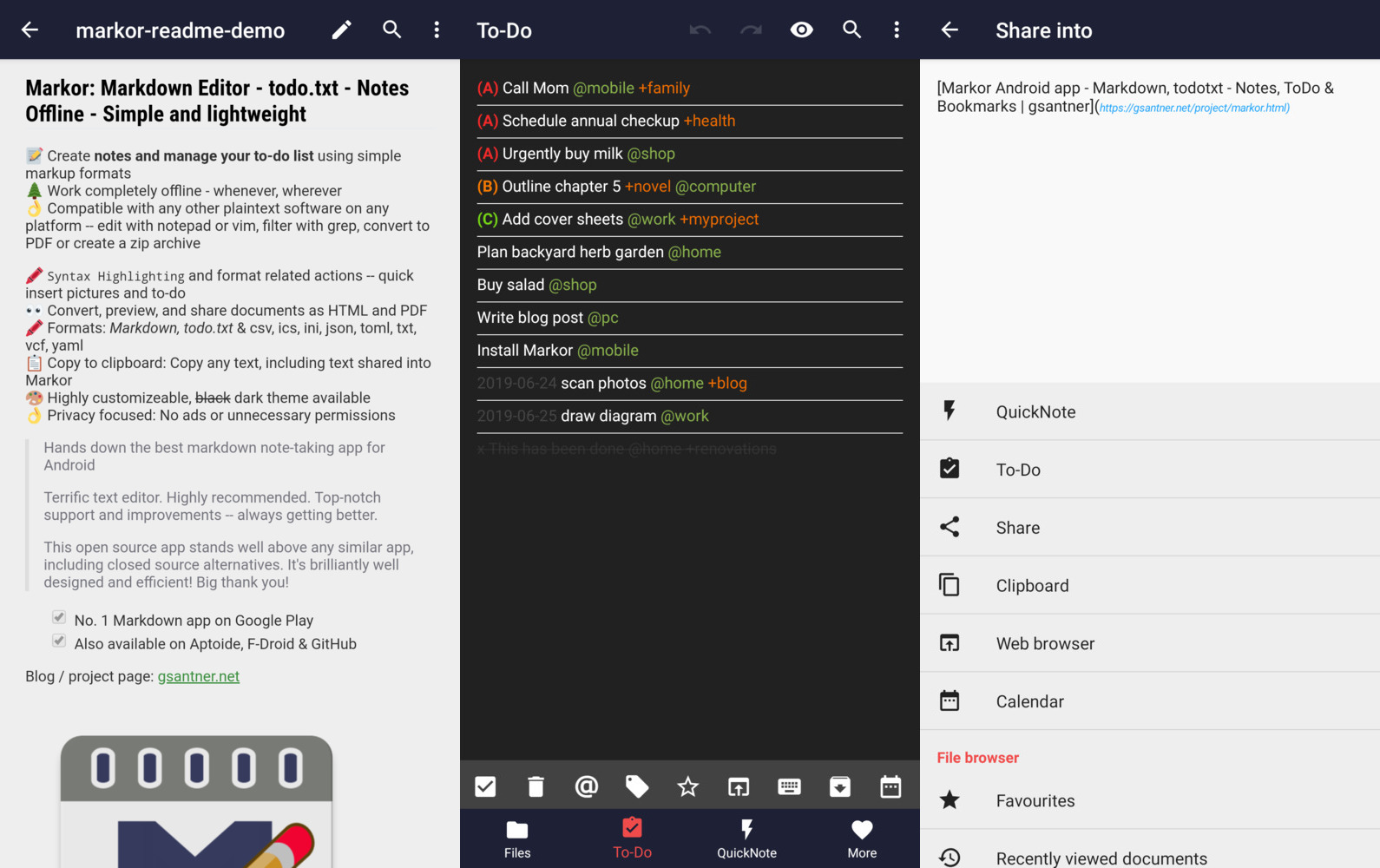
📱 Cross-Platform Support: Native applications for Android, Desktop (Windows/macOS/Linux), iOS, and Web
📝 Create notes and manage your to-do list using simple markup formats
🌲 Work completely offline -- whenever, wherever
👌 Compatible with any other plaintext software on any platform -- edit with notepad or vim, filter with grep, convert to PDF or create a zip archive
🖍 Syntax Highlighting and format related actions -- quickly insert pictures and to-dos
👀 Convert, preview, and share documents as HTML and PDF
📚 Notebook: Store all documents on a common filesystem folder
📓 QuickNote: Fast accessible for keeping notes
☑️ To-Do: Write down your to-do
🖍 Formats (17 supported): Markdown, todo.txt, CSV, LaTeX, Plain Text, Org Mode, WikiText, AsciiDoc, reStructuredText, Key-Value (.properties/.ini/.env), TaskPaper, Textile, Creole, TiddlyWiki, Jupyter, R Markdown, Binary Detection
📋 Copy to clipboard: Copy any text, including text shared into Yole
💡 Notebook is the root folder of documents and can be changed to any location on the filesystem. QuickNote and To-Do are textfiles
🎨 Highly customizable, dark theme available
💾 Auto-Save with options for undo/redo
👌 No ads or unnecessary permissions
🌎 Language selection -- use other language than on the system
🔃 Yole is an offline app. It works with sync apps, but they have to do syncing respectively.
🔒 Can encrypt your textfiles with AES256. You need to set a password at the settings and use device with appropriate OS version. You can use jpencconverter to encrypt/decrypt on desktop. Be aware that only the text is encrypted not pictures or attachments.
Yole is a modern fork of the popular Markor Android text editor, with significant enhancements:
| Feature | Markor | Yole |
|---|---|---|
| Platforms | Android only | Android (production), Desktop (beta), iOS (dev), Web (dev) |
| Formats | 8 formats | 17 formats with comprehensive documentation |
| Architecture | Legacy Android | Kotlin Multiplatform for maximum code sharing |
| Documentation | Basic | Complete user & developer guides (13,200+ lines) |
| New Formats | - | AsciiDoc, CSV, Org-mode, LaTeX, reStructuredText, TaskPaper, Textile, Creole, TiddlyWiki, Jupyter, R Markdown, Key-Value |
| Testing | Limited | Comprehensive test suite (852+ tests, 93% coverage) |
| API Docs | None | 100% KDoc coverage for all public APIs |
Key Improvements in Yole:
- Cross-Platform Support: Native apps for all major platforms (Android, Desktop, iOS, Web)
- Expanded Format Support: 17 formats with complete 400-1000+ line guides for each
- Modern Architecture: Kotlin Multiplatform (KMP) for maximum code sharing
- Comprehensive Documentation: 13,200+ lines covering user guides, API docs, and developer guides
- Enhanced Testing: 852+ tests with 93% coverage, 100% pass rate
- Future-Proof: Modular KMP design for easy format additions
Yole now features beautiful, smooth animated transitions throughout the app:
- Tab Switching: Elegant slide animations when switching between main screens (Files, To-Do, QuickNote, More)
- Screen Navigation: Smooth slide-in/slide-out animations when navigating to sub-screens (Editor, Preview, Settings)
- Configurable: Animations can be enabled/disabled in Settings for performance or preference
- Cross-Platform: Consistent animation experience across Android, Desktop, iOS, and Web platforms
All settings are now properly saved and persist across app sessions:
- Theme Settings: Light/Dark/System theme preferences are remembered
- Editor Preferences: Line numbers and auto-save settings are preserved
- Animation Settings: Animation enable/disable preference is maintained
- Cross-Platform Storage: Uses appropriate storage mechanisms for each platform (SharedPreferences on Android, Preferences on Desktop, NSUserDefaults on iOS)
Yole has been updated with modern Android development practices:
- Modular Architecture: Clean separation of concerns with dedicated modules
- Format Modules: Modular format support in separate
format-*modules - Improved Performance: Optimized for Android with latest tooling
- Modern Toolchain: Updated to latest Android and Kotlin versions
- AsciiDoc, CSV, and Org-Mode support
- Todo.txt advanced search functionality
- Line numbers in editor and view modes
Yole supports showing line numbers now. In the top file menu you can find a new option to enable numbers. It is supported in editor as well in view mode of documents (in code blocks).

AsciiDoc is one of the new formats that are now supported. While it might be not as much fleshed out like Markdown, it should fit for general use.

CSV file are supported now (in sense of syntax highlighting and preview). For details see CSV README, it was implemented in #1988, #1987, #1980, #1667.
- Editor with SyntaxHighlighter
- Each csv column is shown in a different unique color to see which csv-data belongs to which colum/header
- Preview as html-Table with export as pdf
- A csv column may contain markdown (See Example column in screenshot)

The third and last new format newly added is Org-Mode. Note that currently only editor syntax highlighting and action buttons to make editing easier are available. There is no dedicated view mode implemented.

- README
- FAQ
- More
- NEWS
- Yole v2.15.1 - Modern Android Architecture Update
- Yole v2.11 - AsciiDoc, CSV and Org-Mode, Todo.txt advanced search
- Yole v2.10 - Custom file templates, Share Into automatically remove URL tracking parameters
- Yole v2.9 - Snippets, Templates, Graphs, Charts, Diagrams, YAML front-matter, Chemistry
- Yole v2.8 - Multi-selection for todo.txt dialogs
- Yole v2.7 - Search in content, Backup & Restore settings
- Yole v2.6 - Zim Wiki, Newline = New Paragraph, Save Format
- Yole v2.5 - Zim Wiki - Search & Replace - Zettelkasten
- Yole v2.4 - All new todo.txt - Programming language syntax highlighting
- Yole v2.3 - Table of Contents, Custom Action Order
- Yole v2.2 - Presentations, Voice notes, Markdown table editor
- Yole v2.1 - Key-Value highlighting (json/ini/yaml/csv), improved performance
- Yole v2.0 - Search, dotFiles, PDF export
- Yole v1.8 - All new file browser, favourites and faster Markdown preview
- Yole v1.7 - Custom Fonts, LinkBox with Markdown
- Yole v1.6 - DateTime dialog - Jekyll and KaTex improvements
- Yole v1.5 - Multiple windows, Markdown tasks, theming
- Yole v1.2 - Markdown with KaTex/Math - Search in current document
- Yole v1.1 - Markdown picture import from gallery and camera
- Yole v1.0 - Widget shortcuts to LinkBox, ToDo, QuickNote
- Yole v0.3 - Faster loading, LinkBox added, Open link in browser TextAction
- Programming
The project is always open for contributions and welcomes merge requests. Take a look at our issue tracker for open issues, especially "good first issues". - Feature requests & discussions
Start a discussion here. - Bug reports
Report issues here. Please search for similar issues & requests first. If it's not a bug, please head to discussions. - Localization
Translate on Crowdin (free).
Clone the project using git. Then open the project in Android Studio (recommended), install required Android SDK dependencies where required. You may also use any other plaintext editor of your preference.
There is a Makefile in the project which makes it easy to test, lint, build, install & run the application on your device. See the Makefile for reference.
You can find binaries (.apk), logs, test results & other outputs in the dist/ directory.
Example: make all install run.
The project uses modern Android development with the following code style:
- Language: Kotlin with Java 8+ compatibility
- Code Style: Follow Kotlin coding conventions
- Imports: Group standard Android, androidx, third-party, then project imports
- Naming: CamelCase for classes, lowerCamelCase for methods/variables, UPPER_SNAKE_CASE for constants
- File Headers: Include SPDX license header and maintainer info
Use the auto reformat menu option of Android Studio before committing or before you create the pull request.
- Android: AndroidX, modern Android development practices
- Cross-Platform: Separate native applications for each platform
- No dependency on NDK, optimized APKs for Android architectures
- Editor: Advanced component based on Android EditText
- Preview: Android WebView
- Editor syntax highlighting: Custom implementation for all supported formats
- Markdown parser: flexmark-java
- Zim/WikiText parser: Custom implementation, transpiling to Markdown
- todo.txt parser: Custom implementation
- Binary support: WebView html img/audio/video with support for most common formats
- CI/CD: GitHub Actions
- Build system: Gradle with version catalog, Makefile
- Testing: JUnit 4 with AssertJ assertions
- Project repository: Changelog | Issues | Discussions | License | GitHub Releases | Makefile
- F-Droid: Listing | Wiki | Metadata | Build log
Yole does not use your internet connection unless your own user-generated content references external resources (for example, when you reference an external image by URL). The app works completely offline, no internet connection required! No personal data is shared with the author or any third parties. Files can be shared to other apps from inside the app by pressing the share button. Files are stored locally in a user selectable folder, defaulting to the internal storage "Documents" directory.
- WRITE_EXTERNAL_STORAGE, READ_EXTERNAL_STORAGE
Read from and write files to storage. - INTERNET
In user-generated content data can be loaded from the internet. - INSTALL_SHORTCUT
Install a shortcut to launchers to open a file/folder in Yole.
The code of the app is licensed Apache 2.0.
Localization & translation files (string*.xml) as well samples are licensed CC0 1.0 (public domain).
Project is based on the unmaintained projects writeily and writeily-pro.
Yole automatically saves text when you leave Yole or close a file. Additionally there is save button in the top menu.
Browse to the start folder of your SD Card and press the + button (using file browser or the menu option). Now press the plus button and follow the steps in the dialog. Afterwards Yole's file browser won't strike out filenames anymore and files are writable.

Yole is and will stay an offline focused application. It works with sync synchronization apps, they have to do syncing respectively.
Sync clients known to work in combination include BitTorrent Sync, Dropbox, FolderSync, OwnCloud, NextCloud, Seafile, Syncthing, Syncopoli and others.
The project recommendation is Syncthing. -> Guide for Syncthing
The root folder of your files! Yole starts with this folder at the main screen and allows you to browse files. You can work at any (accessible) file & location with Yole.
Your main to-do list file in todo.txt format. You can access it by swiping once at the main screen, by selecting todo.txt at Notebook, or by using the dedicated launcher. You can also open it from Notebook or other apps! You will also have the option to create a to-do task when sharing text into Yole when the text is just one line. The location of this file is freely choosable and independent from the Notebook directory.
The fastest and easiest way to take notes! QuickNote is a file in Markdown format with a freely choosable file location. You can access it by swiping twice at the main screen, by selecting QuickNote at Notebook, or by using the dedicated launcher. The location of this file is freely choosable and independent from the Notebook directory.
You have to set a master password in Settings/General/File encryption password and toggle "Encrypt file content" when you create a note that you want encrypted. If you want to use a different password for a different file you will have to change the master password before you create that file. Yole remembers locally only the last used password and automatically decrypts only the content of the files that use the most recent password, if you don't want markor to automatically decrypt any file you can set the master password to some random string.
A launcher is a "start menu option" in your devices launcher (=appdrawer / start menu). When Yole is installed you have the start menu option for Yole. When the Yole settings option "Launcher (Special Documents)" is enabled, you get the additional start menu options for ToDo and QuickNote. Note that a device restart is required when you change this option.
A general purpose markup format for documents of all kinds. As Markdown gets converted to HTML prior displaying a rendered view, you can also include HTML in the text, thus you can do everything web browsers can do.
CommonMark is the specification that the markdown parser used in Yole implements.
| Resources | |
|---|---|
| CommonMark tutorial | Learn Markdown in 10 minutes |
| CommonMark help | Quick reference and interactive tutorial for learning Markdown. |
| CommonMark Spec | CommonMark Markdown Specification |
| daringfireball | Syntax documentation the Markdown creator |
Most Markdown applications use URL encoding for links, so does Yole. This means replace every space with %20. This ensures that your Markdown content is compatible with most other Markdown applications.
Yole has a dedicated button for adding links and file references, which automatically applies this appropiate format. Take a look at this video to find out where the file reference button is located and how to use it.

Example: [alt](my cool file.md) ⮕ [alt](my%20cool%20file.md).
Yes, Yole has advanced functionalities for math! Enable the feature by checking Settings»Format»Markdown»Math.
Yole's markdown-reference.md template (available from new file dialog) showcases some examples.
Learn more about available functions and symbols here: 1, 2
Todo.txt is a simple text format for todo. Each line of text is a task. The idea comes from Gina Trapani.
| Resources | |
|---|---|
| Homepage | Todo.txt's home |
| Format | Syntax documentation |
| User Documentation | User documentation |


Done tasks are marked by a x in begining of the line and can optionally be moved to a done/archive file.
With contexts you can mark a situation or place. You may use it to categorize your todos. Context is part of todo.txt format, add @ in front of a word to create one.
Examples: @home @work
With projects you can group tasks by a specific project. You may use it to tag your todos with recognizable meta information. Context is part of todo.txt format, add + in front of a word to create one.
Examples: +video +download +holidayPlanning