This is a cool little web tool I whipped up to help you organize commands, group them into batches, and even mess around with temporary domain changes. The default domain is target.com, but you can swap it out with whatever you want—don’t worry, it resets when you refresh! Let’s dive in.
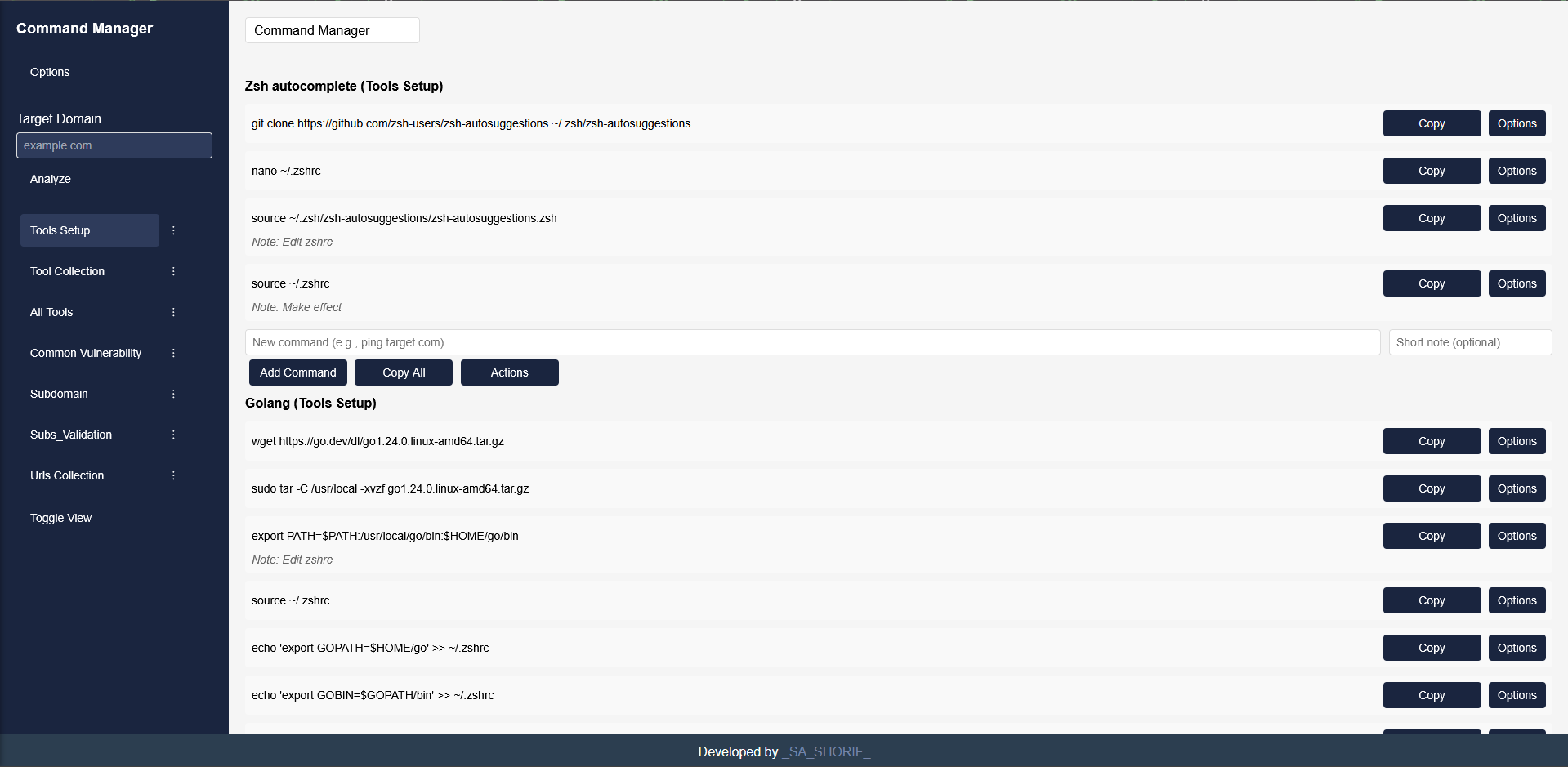
Yo, here’s the easy setup:
- Grab the code by cloning the repo:
git clone https://github.com/siuxsa/Command_Manager.git - Jump into the folder:
cd Command_Manager - Open
command manager pro.htmlin your browser—Chrome or Firefox works great. Just double-click it or usefile:///path/to/command manager pro.html. No fancy server needed!
Alright, let’s play with it!
- Fire up
command manager pro.htmlin your browser. - Wanna add a batch? Hit "Options" then "Add Batch" and name it.
- Got a batch? Click the little ⋮ next to it to edit, delete, or move it up/down.
- Add command groups with "Options" > "Add Command Group," then toss in commands with the input boxes and "Add Command" button. Use "Actions" to tweak or move those groups.
- Wanna test a domain? Type something like
example.comin the "Target Domain" box and hit "Analyze." It’ll swaptarget.comeverywhere for now. - Refresh the page, and it’s back to
target.com—magic! - Toggle between all commands or just the batch you’re on with the "Toggle View" button.
- You can add, edit, delete, and sort batches like a boss.
- Command groups? Same deal—add, edit, delete, sort.
- Commands get notes, copying, and sorting too.
- That domain swap? Temporary and fun—reverts on refresh.
- Active batch lights up so you know what’s cooking.
- Data sticks around in local storage (except the domain stuff).
- UI’s pretty slick with dropdowns and copy buttons.
I’m SA, the guy behind this. Catch me on LinkedIn Got questions or ideas? Drop me a line!