Available at lyreaudio.com
LyreAudio is a cross-platform application (Web, iOS, Android, macOS, and Windows) that converts web articles into audio. By providing an article URL, the application automatically retrieves its content and transforms it into speech.
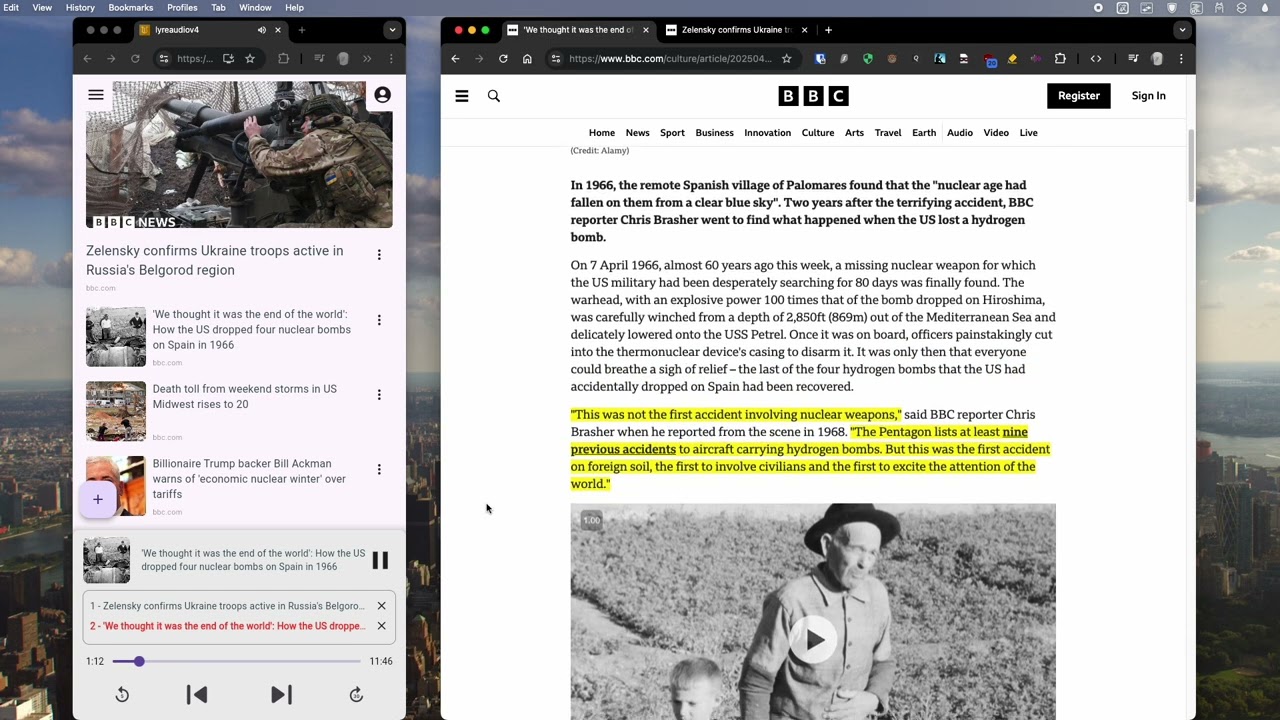
- 🔁 Conversion of web articles to audio (delete “Read more”, ...)
▶️ Playlist-style playback: listen to your articles one after another, hands-free- 🗣️ Dynamic voice rendering: the voice changes for quotes and titles
- 🎫 Optional guest (anonymous) usage
- 📊 User behavior tracking
- In the
back/supabasedirectory, there are two SQL files:bucket.sqlandtables.sql. Use these to create the required tables and storage bucket.
- In the
front/flutter_project/env.dev(used when running in debug mode) andfront/flutter_project/env.prod(used when building with the--releaseflag) files, set the following:
LYRE_V4_NODE_SERVER_URL='http://127.0.0.1:6063';
MIXPANEL_TOKEN=''; //optional
MIXPANEL_PROXY_URL=''; //optional
SUPABASE_URL='';
SUPABASE_ANON_KEY='';- In
back/docker-compose.yml, provide the environment variables for thenode-serverservice.
cd back
docker-compose up --build# In another terminal
cd front/flutter_project
flutter run1. Front-end (Flutter) — front/flutter_project/
- Connects to Supabase to manage user authentication and database access.
- Communicates with the Node.js API to add articles and trigger audio generation or transcription.
2. Node.js Back-end — back/node-server/
- Receives article URLs and calls the Python API to extract article content.
- Processes the article using a prompt with Gemini: it removes unnecessary elements such as newsletter prompts, "read later" sections, and similar unrelated content. It also detects and extracts quotes.
- The same prompt transforms the cleaned text into SSML (Speech Synthesis Markup Language), which is then sent to Azure's TTS service.
- The resulting audio is retrieved and uploaded to a Supabase bucket.
3. Python API (XML Extractor) — back/xml-extractor/
- Uses the Trafilatura library to extract article content in XML format.
- Passes the retrieved content to the Node.js service for processing.
4. Supabase — back/supabase/
- Stores user accounts, articles, and audio files.
- Manages authentication and resource access.
This project is licensed under PolyForm Noncommercial License 1.0.0