Skip to content

RooseveltTech/ARSharp.Net

Folders and files

NameName
Last commit message
Last commit date

Latest commit


History

25 Commits


Repository files navigation

ARSharp.Net

Contact:

Phone Number: +2348168187776

Frame work Template Engine to Convert C# to HTML Page

This is a Simple ARSharp Framework
Built from Scratch using C#
I know you might be confused on what ARSharp Means

About ARSharp!

ARSharp means Abandy Roosevelt Sharp for Web, inspired from the Microsoft C#, ASP.NET and Jade(pub) for NodeJS

What does ARSharp Do?

One key thing of a good programming language is ABSTRACTION, imagine calling a Paragraph Tag with just p.P("This is a paragraph tag"), Cool!! I Know right?

Future of ARSharp

This project intends to build a fullstack webpage using the ARSharp framework, currently the local Command Prompt handles the Compiling;
The Compiler or Translator is currently worked on, please do feel to contact me if you would like to contribute.
The project intends to compete with .NET for Web and Jade or Pub (A JavaScript template engine)

How to use ARSharp.NET

1. Clone or Download this github repository
a. If the project was cloned, specify to your desired folder
b. If it was downloaded, extract the zip file to your desired folder
2. Go the the cloned or extracted Folder and Open the Project with your IDE but Visual Studio is preferred or Open the File and Click on TextCode.sln which opens the project

textcode1

3. Open the Program.cs file; ARSharp template has already been built, Edit and test the Framework
4. In the Program.cs file, just after the static void Main(string[] args) Method, you need to specify:

a. File Location: This is where your web project is located
b. Name of File: This is the index file you intend to create or edit

textcode2

5. First you need to call tags like Div, Paragraph, Head, Title, H1, H2, H3 etc., you are about to build with
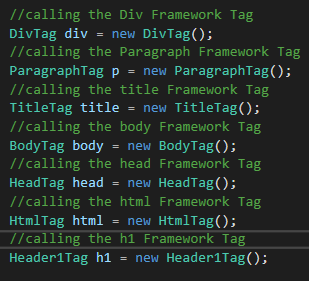
textcode3

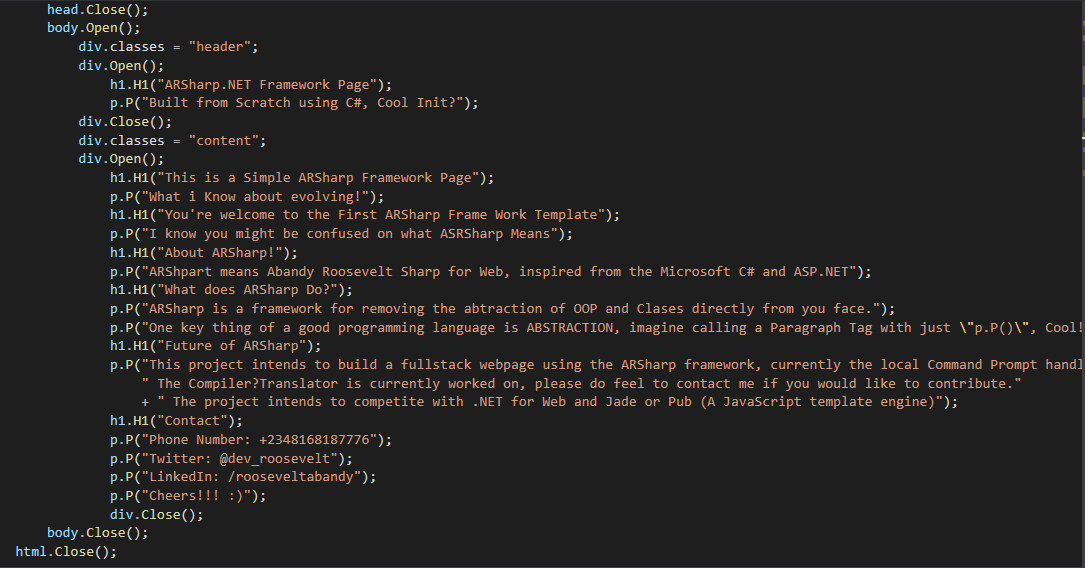
6. Create your page

textcode4

7. If your using an external CSS file specify the location as shown below which is highly RECOMMENDED
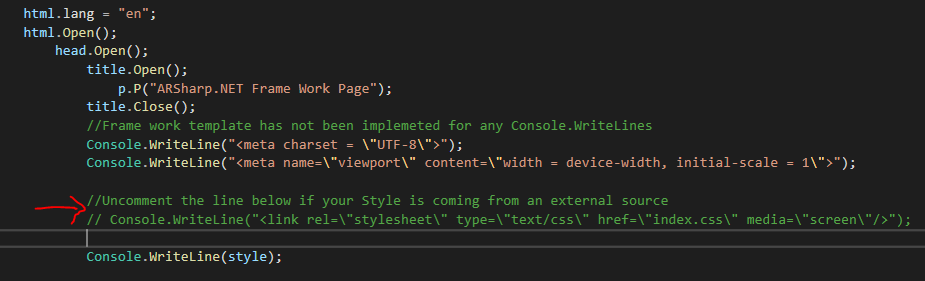

textcode7

8. When you are done with building your web project, Click run or start to compile your Web Page

textcode5

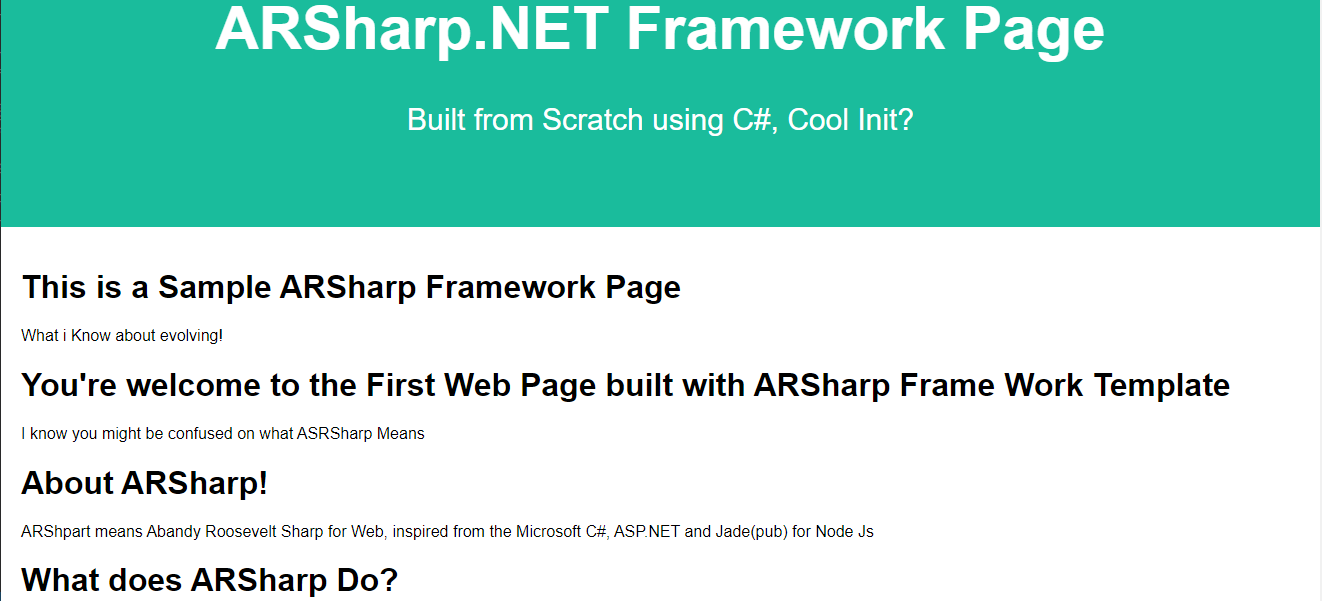
9. The resulting Page bulit with ARSharp framework is shown below

textcode6

Documentation on how to use Tags

Defining the tag

DivTag div = new DivTag();

ParagraphTag p = new ParagraphTag();

TitleTag title = new TitleTag();

BodyTag body = new BodyTag();

HeadTag head = new HeadTag();

HtmlTag html = new HtmlTag();

Header1Tag h1 = new Header1Tag();

Header2Tag h2 = new Header2Tag();

Usage of Tags

p.classes = "bootstrap"; //sets a paragraph class to bootstrap

p.P("Hello"); //print a paragraph hello

div.Open(); //Opens a Div tag

div.Close(); //Close a Div tag

title.Open(); //Opens a title tag

title.Close(); //Close a title tag

body.Open(); //Opens a body tag

body.Close(); //Cloose a body tag

head.Open(); //Opens a Head tag

head.Close(); //Close a Head tag

html.Open(); //Opens a html tag

html.Close(); //Close a html tag

h1.H1("This is a Big Header"); //Prints an h1 This is a Big header

Be creative!!!

Cheers :)

About

Frame work Template Engine to Convert C# to HTML PAge

Resources

License

Stars

Watchers

Forks

Releases

No releases published

Packages

No packages published

Languages