Custom Game Events
-----------------------------------------------------------------------------
🚧 Warning: This page is under construction and has incomplete information!
-----------------------------------------------------------------------------
OCAP2 supports the addition of calls to integrated functions that will add custom events to the Events feed during playback, alongside kills/connection events.
To record a custom event, we use a CBA server event handler containing a Type along with a Message.
["ocap_handleCustomEvent", ["eventType", "eventMessage"]] call CBA_fnc_serverEvent;[Result image x 2 as examples]
type of string
This can be either a side like "WEST", "EAST" (from str side _unit) or a hex code like #a2b3c4
Introduced in v1.1.0
Event to show a captured objective, e.g. a flag, vehicle or sector
["ocap_handleCustomEvent", ["captured", [
    "flag",
    name _unit,
    str side group _unit,
    "#a2b3c4",
    getPosATL _flag
]]] call CBA_fnc_serverEvent;Variables:
-
string, objective type (this will define the text & icon, values:
flag) - string, unit name
-
color (optional, default:
""), unit color (the pulse animation color is defined by this too) -
color (optional, default:
""), objective color -
position (optional, default:
nil), objective position (needed to show the location on the map)
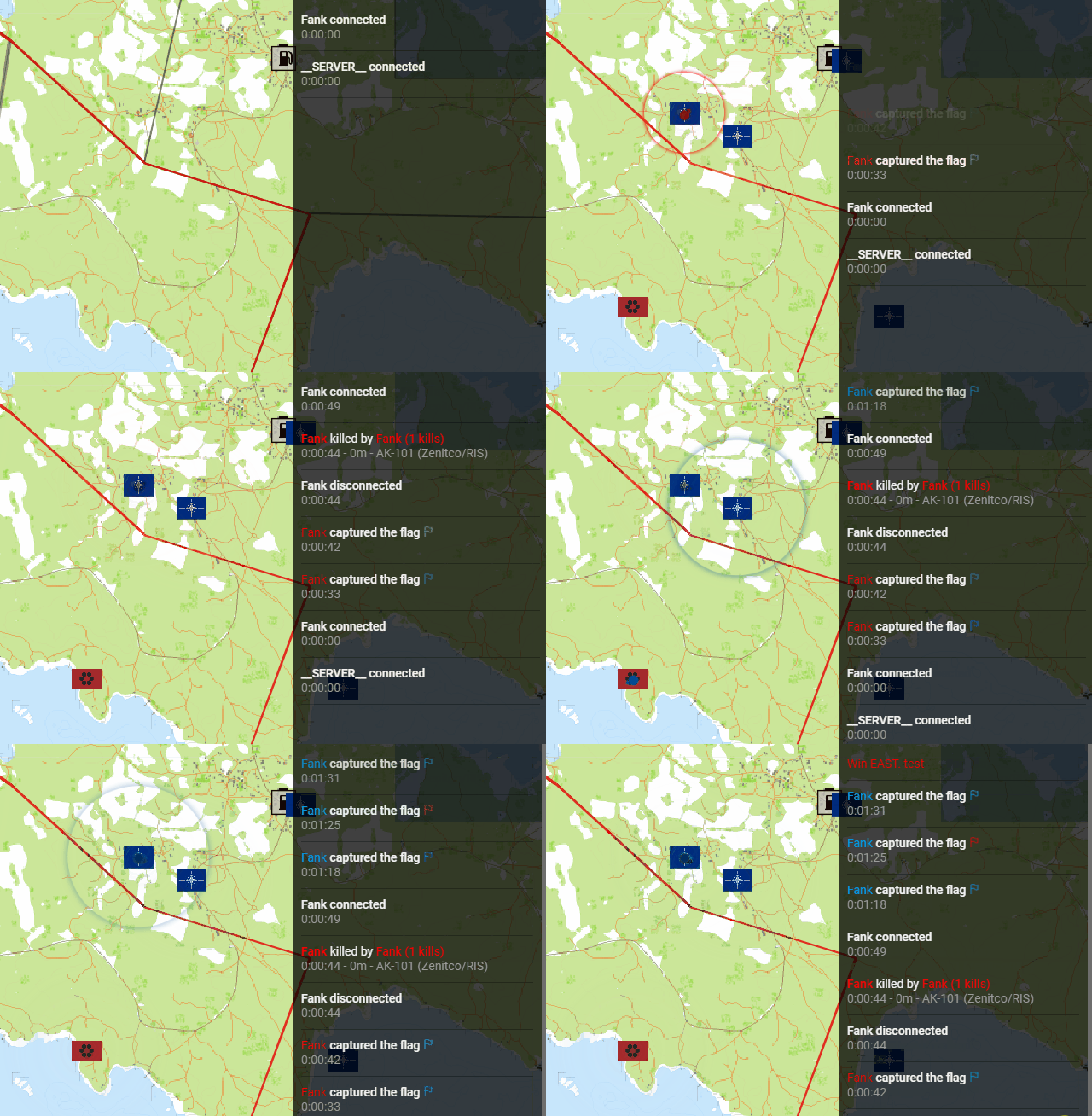
Introduced in v1.2.0, 🚧 Work in Progress
Event to show a terminal hack has started.
Variables:
- string, unit name
-
color (optional, default:
""), unit color -
color (optional, default:
""), terminal icon color -
string (optional, default:
""), terminal identifier (needed forterminalHackCanceledorTBD) -
position (optional, default:
nil), terminal position (needed to show the "active hack" location on the map) -
number (optional, default:
0), count down until hack will be completed, if position is present the marker on the map will disappear once it ran out.
[Result image x 2 as examples]
Introduced in v1.2.0, 🚧 Work in Progress
Event to update the previous terminalHackStarted event
Variables:
- string, unit name
-
color (optional, default:
""), unit color -
color (optional, default:
""), terminal icon color -
string, terminal identifier (needed to control
terminalHackStarted) -
string, state (
"interrupted"to stop it and mark it as failed)
[Result image x 2 as examples]