Per students' request, let's create a big list of Unity resources. (There will also be another list of non-unity game dev resources.) Right now, this is very much a work in progress.
I've started by collecting resources & starting to sort them. I've been stubbing in simple explanations for each category; I think we'll want to keep those going. My preference is not to overwhelm with options, & to present multiple options for the same functionality only when there are very strong reasons to do so. In this way, I hope the list can be more useful than the "Other Lists Like This" below, which tend to be exhaustive & poorly pruned. That said, using those lists for research & inspiration is encouraged!
Other Lists Like This
- http://www.unitylist.com/
- https://github.com/RyanNielson/awesome-unity
- https://www.virtualgamelab.com/blog/unity-resources
- Documentation
- Builds
- Editor GUI
- Profiling
- Pooling
- Tweening
- Shaders
- Git
- Controllers and Input
- AI
- Debugging
- Package and Asset Repositories
- Tutorials
Engine documentation is a searchable repository of all the capabilities of a game engine. Documentation is difficult to keep current, as game engines are complex & constantly changing.
User Contributed Notes for Unity Docs (Link)
It's a Chrome Plugin to add user comments to the Unity documentation pages.
Unity documentation, like most documentation, is often incomplete, sometimes confusing, and sometimes straight up wrong. User comments can save you from making mistakes based on bad documentation.
Builds are sharable versions of your game, built for a particular platform (windows, iOS, etc.). You need to build your work in order to share it with others or sell it.
Super Unity Build (Link)

It's a unity asset that makes building for various platforms & uploading builds to sites like itch.io very easy.
It saves you time, saves you from having to do a multi-step upload process every time you build.
Editor GUI is how components are drawn in the unity inspector. It's very customizable, but can be arduous to impliment. That said, on longer projects, custom editor tools can enable huge improvements to workflow, enable easier testing, and make collaboration easier.
Naughty Attributes (Link)

It's a library for Unity that makes it very easy to create simple buttons, lists, etc. in the Unity Inspector.
Writing Unity Editor code is tough & time consuming. Often all you want is a simple button to run a function, but that usually requires creating a whole new script. With Naughty Attributes, it's super simple.
Using built-in and extended tools to identify causes of slow down in your game. The built-in Unity profiler & graphics profiler are a great place to start, but you can bolster your capabilities by using the profilers built into Visual Studio & Rider. Additionally, there are packages and extensions that will enable you to profile the compilation process, listed here.
Compilation Visualizer (Link)
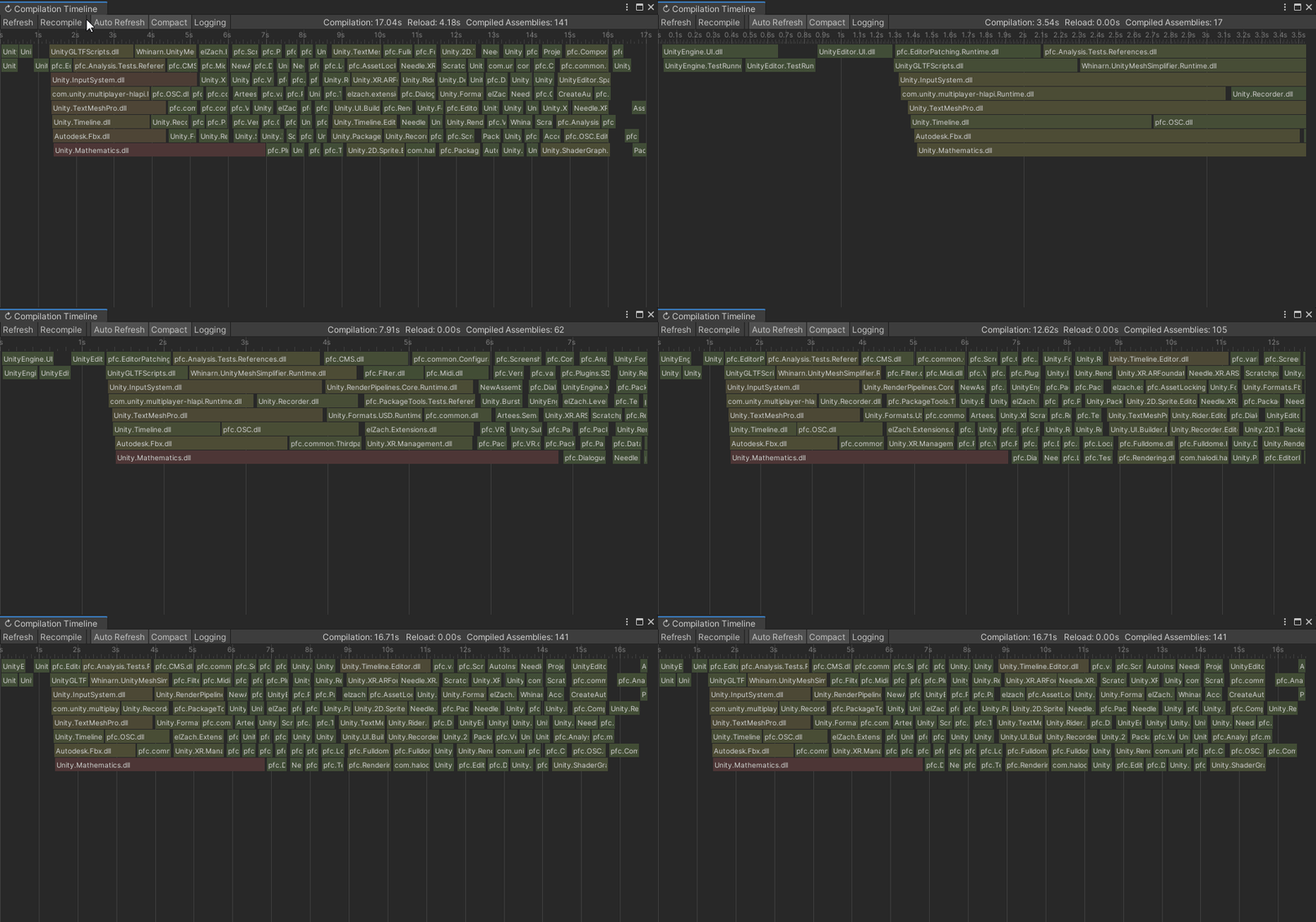
It's an extension that visualizes the compilation process, including dependencies. It's incredibly useful if you're working with assembly definitions, but can also be useful in its most basic form, a way to ID which compilation processes are most expensive.
Oftentimes, there are assets or packages you don't need that are taking up time during compilation, this will help you ID which ones have the biggest impact. It also makes the process of splitting your assemblies much clearer.
Editor Iteration Profiler (Link)

It's an extension built by unity to allow you to profile & see what happens during editor domain reloads. As Unity describes it: " The tool is an attempt to empower you, our users, to understand and help you solve the common question 'Why does it take so long to compile my scripts/enter playmode?'."
You can speed up your iteration if you identify time sinks in your editor iteration.
Object pooling is a common optimization that essentially amounts to recycling gameobjects. Rather than instatiating & deleting objects everytime you need to, you create a big pool of objects, taking & returning from that pool as needed. By pooling objects, you can avoid the computational overhead involved with instatiation & deletion, namely garbage collection hitches, which temporarily hault your game.
Simple Pool Script (Link)
A simple and lightweight pool script that impliments an object pooling pattern for you.
Instead of calling Instantiate(), use this: SimplePool.Spawn(somePrefab, somePosition, someRotation);
Instead of destroying an object, use this: SimplePool.Despawn(myGameObject);
If desired, you can preload the pool with a number of instances: SimplePool.Preload(somePrefab, 20);
You can easily gain the benefits of object pooling without having to write it yourself.
Tweening is interpolating between 2 values or states over a duration of time. Interpolating linearly is often called lerping. Lerps can be annoying to manage, and often you want to interpolate in a non-linear fashion. A Tweening library is a set of extensions for Unity that makes this process of animating values across a number frames easier & more flexible. Tweening can save you from writing timers, dealing with tons of lerps[TODO: Link], or using coroutines.
- DOTween - DOTween is the most commonly used tweening library at the Game Center. Its very powerful & simple to use at first. However, if you choose to venture deeper into its powerful features, the syntax can be a little odd if you're coming from writing mostly c# for Unity, as it more closely resembles modern Javascript.
- Easing Functions Cheat Sheet - The easing functions cheat sheet is a visualization of many of the more common easing functions. Sometimes it can be hard to remember how a particular tween looks - this gives an easy to use reference.
Git (Link)
Git is a free and open source distributed version control system designed to handle everything from small to very large projects with speed and efficiency. Git is easy to learn and has a tiny footprint with lightning fast performance. It outclasses SCM tools like Subversion, CVS, Perforce, and ClearCase with features like cheap local branching, convenient staging areas, and multiple workflows.
NYU Unity Git Config (Link)
Whenever possible, it's always recommended to use the NYU Unity Git Config, as it will help prevent common issues using Git with Unity. Follow these instructions exactly, and make sure you do them all!
GitHub(Link)
- GitHub is a free git repository hosting service. GitHub provides a Web-based graphical interface, as well as access control and several collaboration features, such as a wikis and basic task management tools.
When you're first starting with git, it can often be useful to use a GUI, or Graphical User Interface, as a way of visualizing what's happening. Below are some good, free options that work on Mac and Windows.
- Learn Git Branching - A straightforward tutorial on how branching in git works.
- Git: The Simple Guide - A simple explanation of how to use git from the command line.
- Don't Be Afraid To Commit - A good primer on using Git from the command line.
- Amplify Shader Editor - A PAID asset that helps visualize creating shaders.
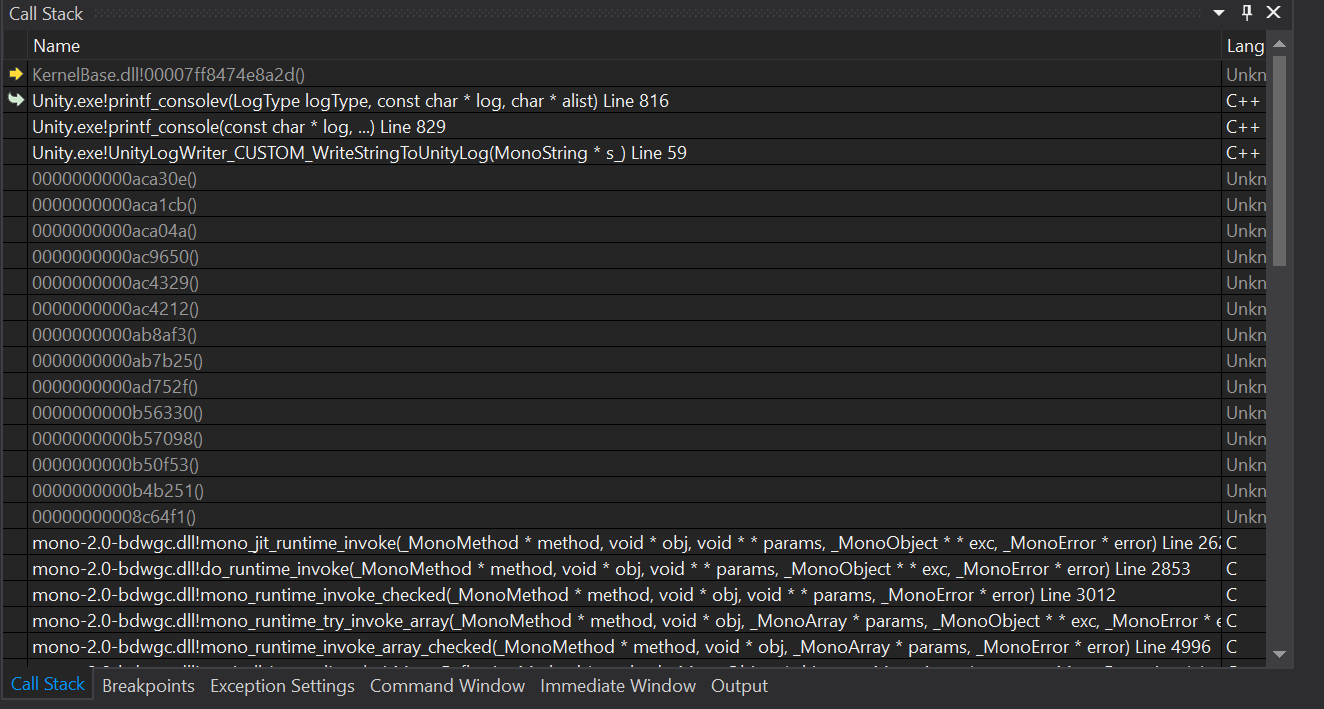
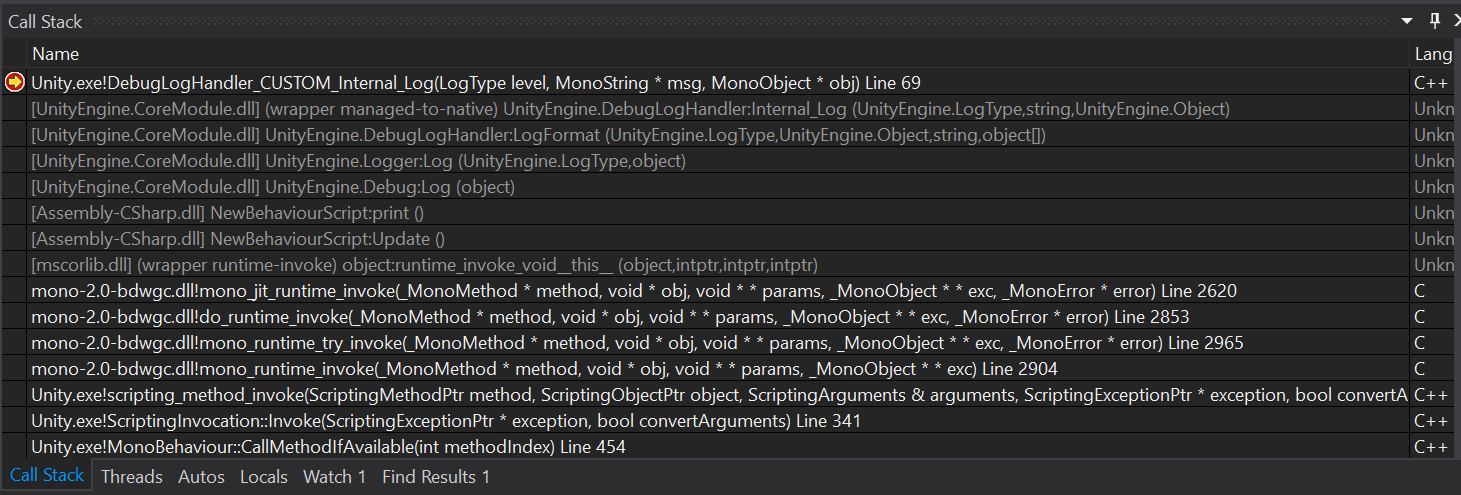
Seeing empty calls in your callstack like the first one while debugging? Want them to be fully fleshed out like the second? You can, using a Visual Studio plugin developed by Unity.
- Unity List - An extensive index of opensource unity assets, projects, templates, and demos.
- Open Unity Package Manager - A registry for open source unity packages, which can add various functionality to your game, like an in-build debug console, or Hedera, Robert Yang's ivy painting plug-in.
Below is a list of some helpful, Unity-specific tutorials.
- Unity Blog - Straight from the source itself, the Unity3D blog often has tutorials on a variety of topics. Unity also provides a set of video tutorials that are well worth checking out.
- What Not To Do In Unity - Unity3D has also put together a useful list of common mistakes in Unity.
- 50 Tips and Best Practices - A good list of best practices for working in Unity.
- Gameplay Programming Patterns - A great resource on programming for games, useful in Unity and any other engine.
- Optimizing Graphics Performance - A good Unity-provided list of how to avoid common graphics issues
- Catlike Coding - A great set of tutorials on how shaders work in Unity.
- A gentle introduction to shaders in Unity3D - A series of easy-to-digest tutorials in shaders for Unity by Alan Zucconi.