A plugin for Sublime Text to break lines into groups of X lines.
Install via Package Control.
There are shortcuts for creating groups of 10, 100, 1000, and X lines:
- 10 lines: Ctrl+Alt+B, 1
- 100 lines: Ctrl+Alt+B, 2
- 1000 lines: Ctrl+Alt+B, 3
- X lines: Ctrl+Alt+B, 4
These shortcuts should work on any platform. These commands are also available in the command palette and the Tools menu under "Break lines".
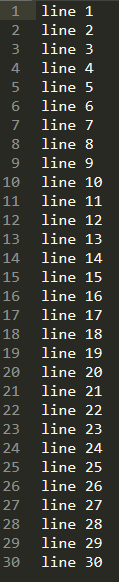
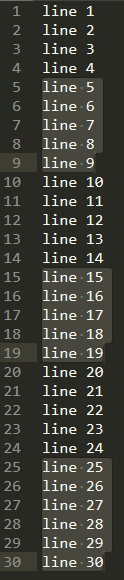
The X lines option will prompt for a number, and insert a newline after each group of this many lines within the selection/s. The 10, 100, and 1000 options behave the same without prompting. If nothing is selected (i.e. all selections are 0 characters) then the entire file will be grouped.
No selections, break every 7 lines
| Before | After |
|---|---|
 |
 |
Multiple selections, break every 2 lines
| Before | After |
|---|---|
 |
 |
See LICENSE.md