


The card is linked to the Meshtastic custom components. https://github.com/meshtastic/home-assistant
Warning
Before using this card, please ensure you have the Meshtastic integration installed in your Home Assistant instance.

- Open HACS in your Home Assistant instance
- Click the menu icon in the top right and select "Custom repositories"
- Add this repository URL and select "Dashboard" as the category
https://github.com/hamper/meshtastic-card
- Click "Install"
- Download the
meshtastic-card.jsfile from the latest release in the Releases tab. - Copy it to your
www/community/meshtastic-card/folder - Add the following to your
configuration.yaml(or add as a resource in dashboards menu)
lovelace:
  resources:
    - url: /local/community/meshtastic-card/meshtastic-card.js
type: moduleAdd the card to your dashboard using the UI editor or YAML:
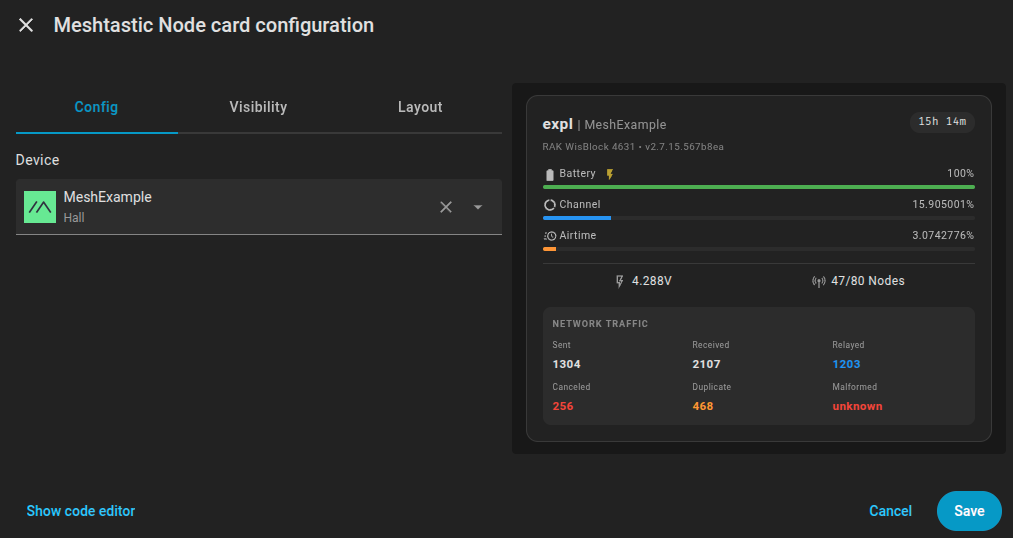
The card is fully configurable through the card editor, allowing you to customize:
- Meshtastic device selection
This is the most minimal configuration needed to get started:
type: custom:meshtastic-card
device_id: your_meshtastic_device_idIf you're unsure what your Meshtastic device ID is, here are several ways to find it:
- Add the card through the visual editor
- Select your Meshtastic device from the dropdown
- Click "Show Code Editor" or "View YAML" to see the generated configuration
- Copy the
device_idvalue for use in manual YAML configuration
- Go to Settings → Devices & Services → Devices
- Search for "Meshtastic" or browse to find your Meshtastic device
- Click on the device and look at the URL - the device ID will be in the URL path
- Built using LitElement