
Customize and embed your vault within your own website, in minutes
<html>
 <head>
       <title>Diamond Vault Embedded</title>

      <!-- Import Diamond Vault Integration -->
      <script
        src="https://cdn.jsdelivr.net/gh/Diamond-Vaults/dv-embed@latest/V2-build/bundle.min.js"
      ></script>

      <!-- Import Diamond Vault style -->
      <link
        rel="stylesheet"
        href="https://cdn.jsdelivr.net/gh/Diamond-Vaults/dv-embed@latest/V2-build/bundle.css"
      />

  </head>
  <body>

      <!-- Put this div anywhere in your website, the vault component will be rendered inside it -->
      <div id="diamond-vaults" vaultPath="Anybodies"></div>

  </body>
</html>export const VaultComponent: React.FC = () => {
const vaultPath: any = { vaultPath: 'anybodies' };
return <div id="diamond-vaults" {...vaultPath}></div>;
}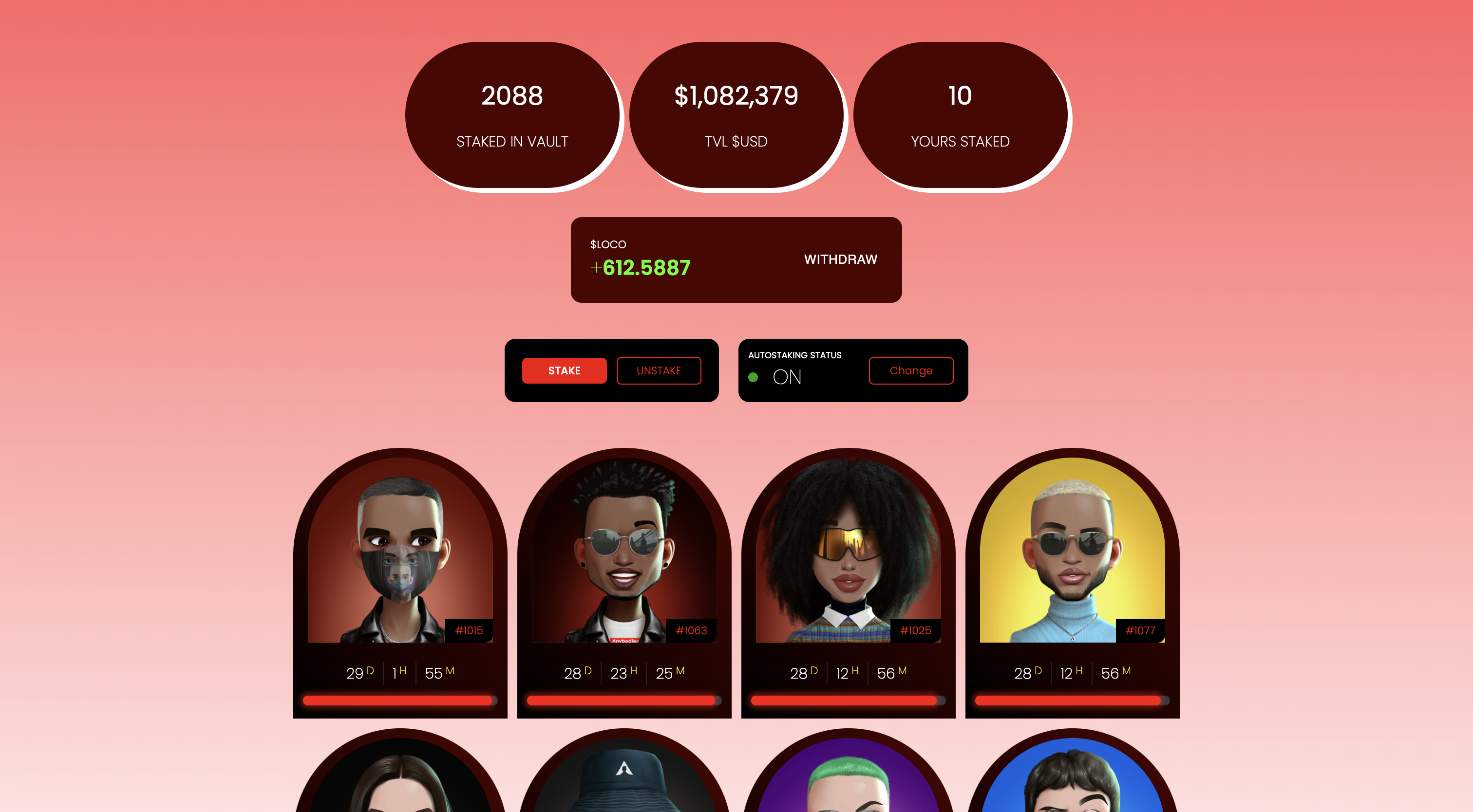
You are now able to customize the look and feel of your Vault.
To do this, you need to copy the style sheet from here .
All the styling of the vault is in that file.
Copy the default styling and create a new local CSS file and overriding the design of the vault.