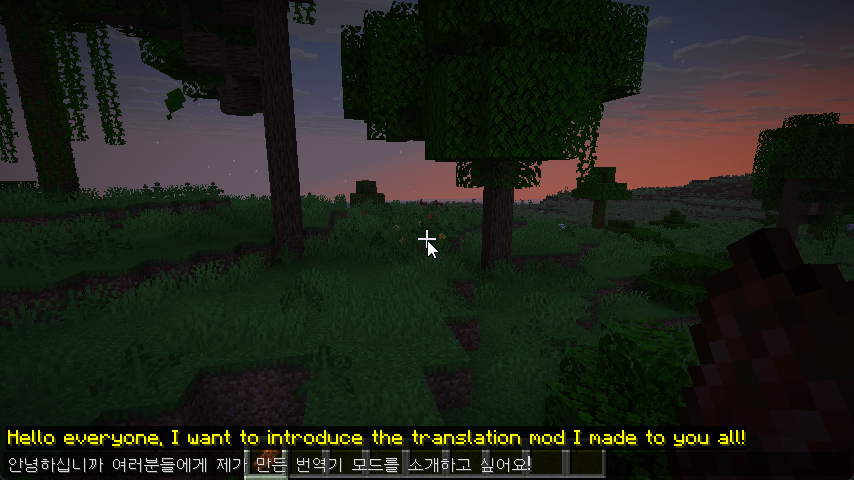
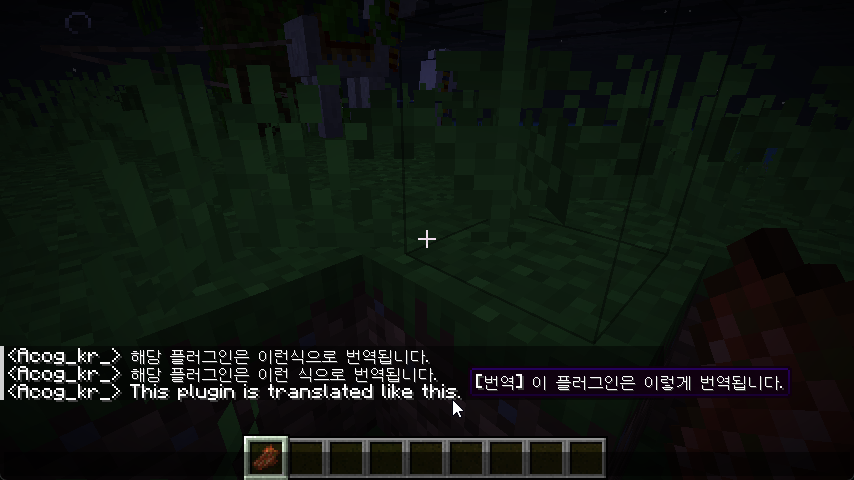
This is a Real-time Chat Translation Mod for Minecraft utilizing the Google Gemini API.
It is a mod that I started making for personal use... sort of.
The biggest reason I use it is that it understands slang and abbreviations.
- Automatically detects messages from other players in the chat window.
- Hovering your mouse over a message displays the translated text as a tooltip.
- Allows you to conveniently check translations without altering the original game chat logs.
- You can easily toggle it on and off using a shortcut key ( Default : O )
- If you type a message in the chat input field and wait for a moment (default 3 seconds), a translated sentence is suggested.
- Press the
Tabkey to immediately input the suggested translation. - You can cycle the target language order: Korean -> English -> Japanese.
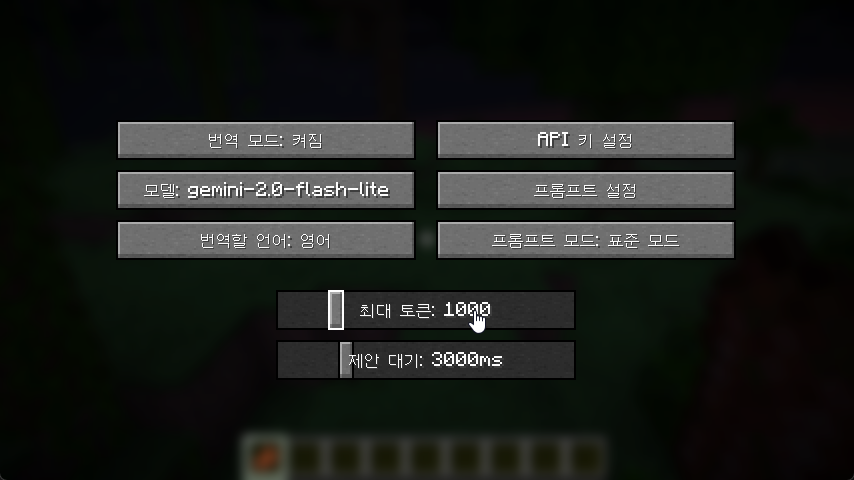
- Model Selection: You can choose various models such as
Gemini 2.0 Flash Lite,2.0 Flash, and2.5 Flash. - API Key Management: You can enter and save your API Key in the in-game settings screen.
- Customization:
- Prompt Settings: You can set prompt modes to save tokens.
- Token Limit: You can adjust the response length (100 ~ 5000).
- Suggestion Delay: You can adjust the time it takes for a translation suggestion to appear after typing (1s ~ 10s).
This mod requires Fabric Loader and Fabric API.
- Install Fabric Loader. (Match your Minecraft version)
- Place Fabric API into the
modsfolder. (Version used during development:0.138.3+1.21.10) - Place the Translate Mod file downloaded from here into the
modsfolder.
- After joining the game, go to
ESC->Options->Translate Mod Settings. - Click the Set API Key button and enter the key issued from Google AI Studio.
- Adjust the desired Model and Settings.
- Note: Using models other than
Gemini 2.0 Flash Litemay result in higher costs or slower speeds.
- Note: Using models other than
- To use this mod, a Google Gemini API Key is required. You can issue one at Google AI Studio.
- Costs may be charged to your Google account depending on API usage, so please check the pricing policy.
-
- Performance Note: You can use the free tier, but it is extremely slow and frustrating. In my tests, 2,000 requests cost approximately 10 KRW.