Suggestion To Add Image Slider And A Once Tap Author Front Image View. #3

Description

Introduction
Peerquery is one of the amazing platform, that is used along other social platform to access steemit authors post. Just like other social platform, one of it's goal is to ensure that all peerquery user are able to have a wonderful view of any author post. But there are still some features, which should have been of great help in enhancing user experience, while using the platform. The feature which should be added are, image slider and easy author access by clicking on front view post image.
Reasons For Suggestions
Image slider is one of the amazing features any user will love to have. Due to the fact that it will make it quiet easier for any peer query user to switch easily and faster among images. For example a peerquery user may be reading some tutorials on the platform, but might be forced to either scroll upward, downward before been able to view some tutorial images. At times you will need to download some images before been able to access and view them. I believe this is not the goal of any social media platform. Then the thought to make a suggestion for the installation of image slider come into place.
The problem of not been able to access author blog can be tackled also by adjusting peer query platform in a way that will allow automatic embed of a post link on an author front image view.
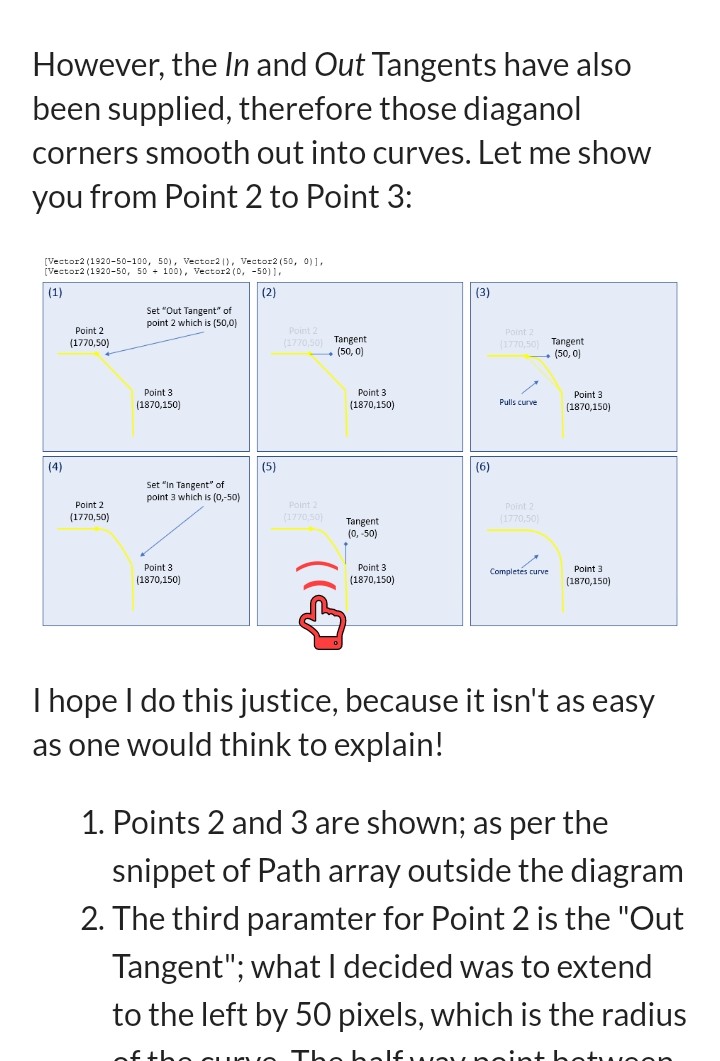
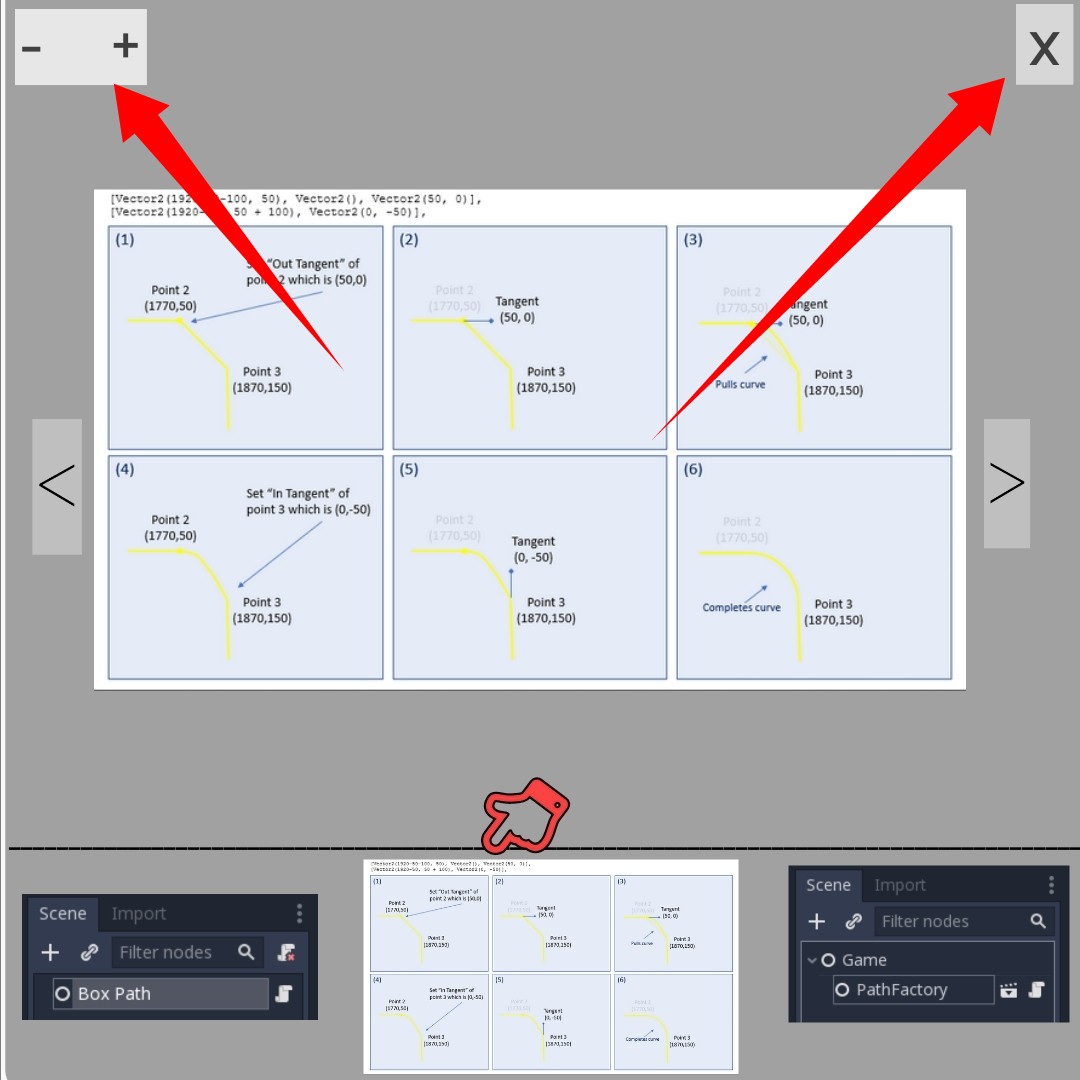
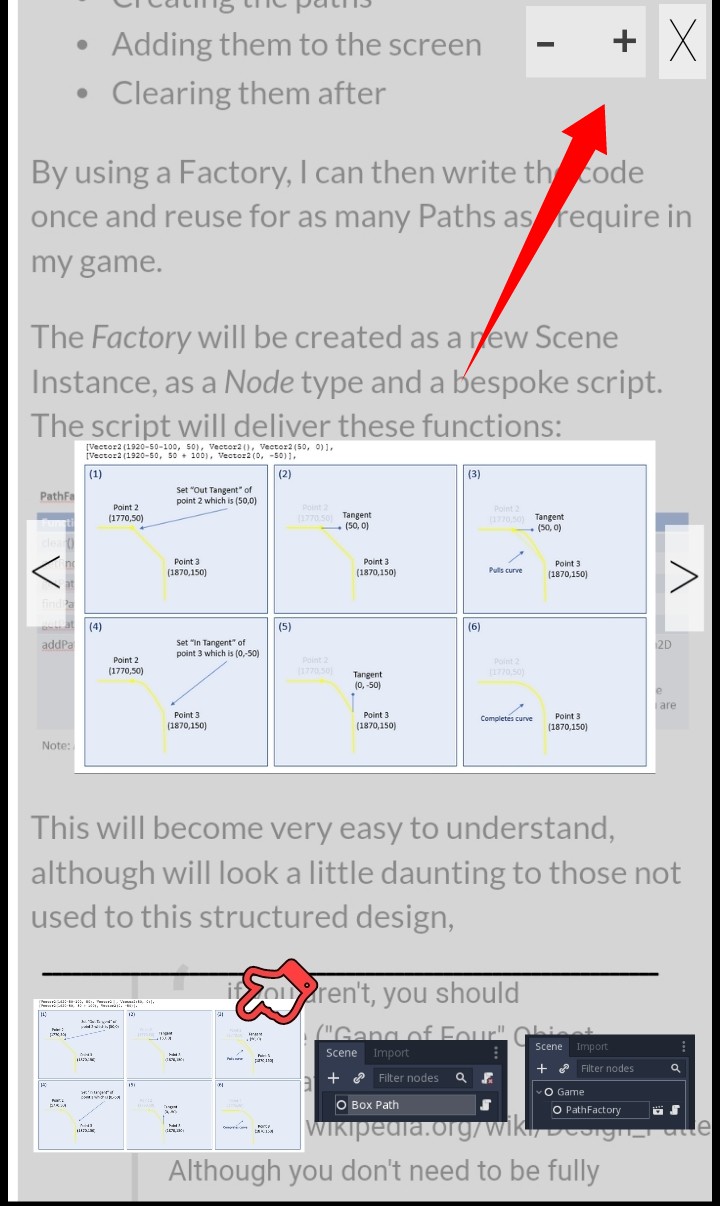
Suggested Image Example Of How It Should Look Like.
Below is a suggested image example of how the features should look like when installed.
The image above is a suggested image example showing a double tapped image for an image slider to pop up
The image above is a suggested image example of a non transparent pop up image slider. With a red arrow pointing towards the button to zoom in, zoom out and a red arrow to cancel the image slider
The image above is a suggested image example of a pop up and transparent image slider, with a red arrow pointing towards a button to zoom in, zoom out and also to cancel the image slider.
The image above is a suggested illustration for a single image tap to access an author post

Conclusion
Having this kind of features installed on peer query platform will help to improve user experience while using the platform. This will also help to encourage more user to use the platform, since there are more standard feature that is available while using the platform. The goal of both the user and the platform creator will be achieved. Since the goal of both user and any social platform creator is for an easy social platform that will improve any user experience while using a social platform.