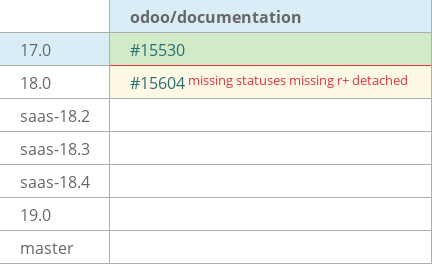
[IMP] db: odoo accounts update #15530
Conversation


|
|

 xpl-odoo
force-pushed
the
17.0-db-accounts-xpl
branch
from
xpl-odoo
force-pushed
the
17.0-db-accounts-xpl
branch
from
d742da0 to
6d5c76e
Compare
 xpl-odoo
force-pushed
the
17.0-db-accounts-xpl
branch
from
xpl-odoo
force-pushed
the
17.0-db-accounts-xpl
branch
from
6d5c76e to
17ce80f
Compare

 auva-odoo
left a comment
auva-odoo
left a comment
auva-odoo
left a comment
There was a problem hiding this comment.
Hello @xpl-odoo I wrote a few comments:questions 🙂
Also, just a general, probably nitpick, comment but why use bold and not guilabel for a lot of the different options?
Let me know if you'd like to discuss any of my questions!
| - You can set a specific password for your user to access a database by going to the | ||
| :ref:`database's settings <users/change-password>`; however, you will still be able to sign | ||
| in with your Odoo.com account password. |
There was a problem hiding this comment.
I'm not sure I understand this: is "your user" the user that's automatically created for the person who creates a db? (sorry not sure about this!). And if so, would that mean that that person would be able to sign into a db using two different passwords?
| From the user portal, the delete option can be accessed by going to :menuselection:`My Account --> | ||
| Edit Security Settings --> Delete Account`. It can also be accessed by going to | ||
| `https://www.odoo.com/my/home <https://www.odoo.com/my/home>`_. | ||
| - Enable **two-factor authentication** using an authenticator app. |
There was a problem hiding this comment.
Just my personal opinion but I think we could give a bit more information about the steps, like we did in the old version of this doc.
Also, should we mention Trusted devices (and how you can remove them) and the "Revoke all" button --> what does that do exactly? does it remove all trusted devices?
| `https://www.odoo.com/my/home <https://www.odoo.com/my/home>`_. | ||
| - Enable **two-factor authentication** using an authenticator app. | ||
| - **Log out** from all devices. | ||
| - **Delete** your account. |
There was a problem hiding this comment.
I personnally don't see this option; why? when would someone not be able to delete their account exactly?
| .. danger:: | ||
| Deleting your Odoo.com account is **irreversible**. Once deleted, your account **cannot be | ||
| retrieved**. | ||
|
|
There was a problem hiding this comment.
and what about the Developer API key section? Should we at least refer to the documentation link provided on the page?
| <https://www.odoo.com/help>`_. | ||
|
|
||
| .. tip:: | ||
| Creating an account on a database does not create an Odoo.com account. If the email address of |
There was a problem hiding this comment.
By "account on a database", do you mean a user? sorry i'm confused! 🙈
3 participants


No description provided.